
Certificates
There are two separate certificates in play, and they are configured in different places.
- A node's own, for the ProxDock web UI and the API. Configured per node.
- An application's, for an application that terminates TLS itself. Configured per application, and off until you turn it on.
They are deliberately kept apart. Most setups keep infrastructure names and service names in different places, and giving every application its own key means one compromised container cannot leak TLS for everything else.
Status: shipped. The node certificate below is a real one, served by a real node. The application half uses fake DNS credentials, so it shows how a certificate is requested rather than a certificate that was issued.
A node's own certificate
Every node serves HTTPS from the moment it starts. Nodes → Network → HTTPS certificate says which certificate that is and where it came from.
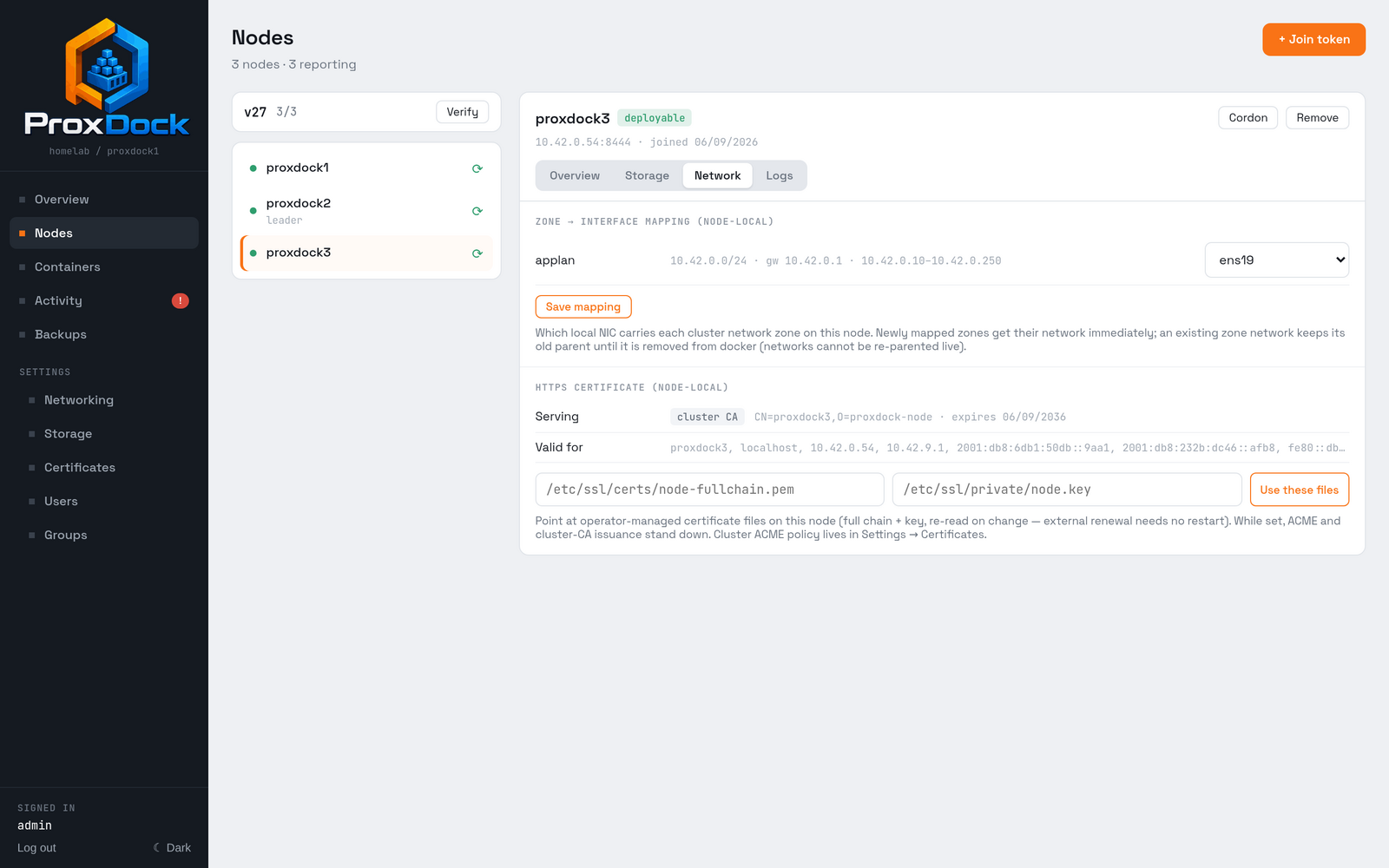
There are three sources, and the first one that is present wins:
| Source | Where it comes from |
|---|---|
| Operator files | Paths you set, on that node |
| ACME | Issued by ProxDock over DNS-01 |
| Cluster CA | Issued by the cluster when the node joined |
Issuing publicly trusted certificates
ProxDock issues them itself, per node, over ACME DNS-01.
The challenge is a temporary TXT record, so no node needs to be reachable from the internet. That is the whole reason this works for a private cluster: your nodes can sit on a LAN with no inbound ports open and still hold publicly trusted certificates.
The trade is that ProxDock needs credentials that can write TXT records in your zone.
Settings → Certificates, on the Cluster tab.
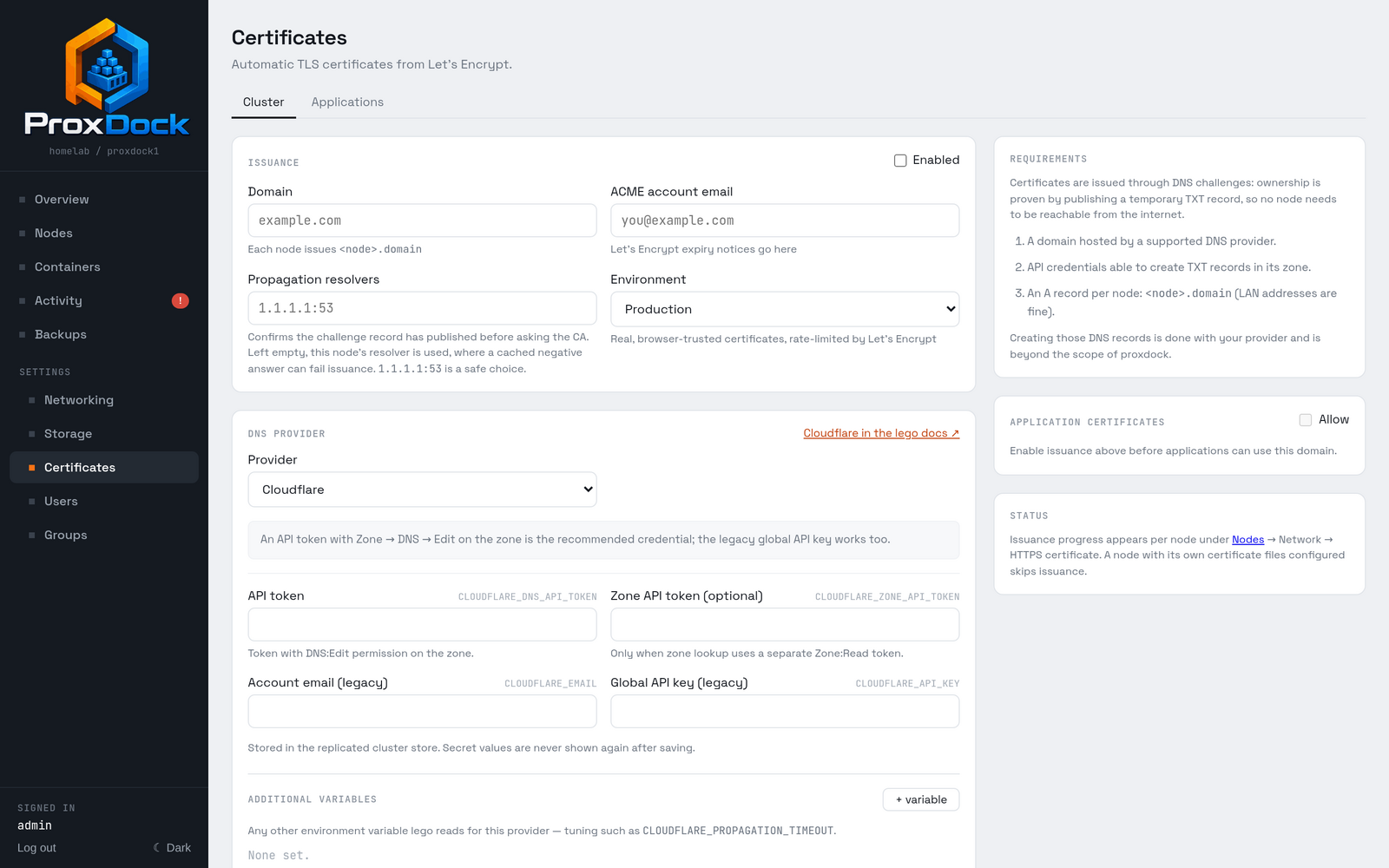
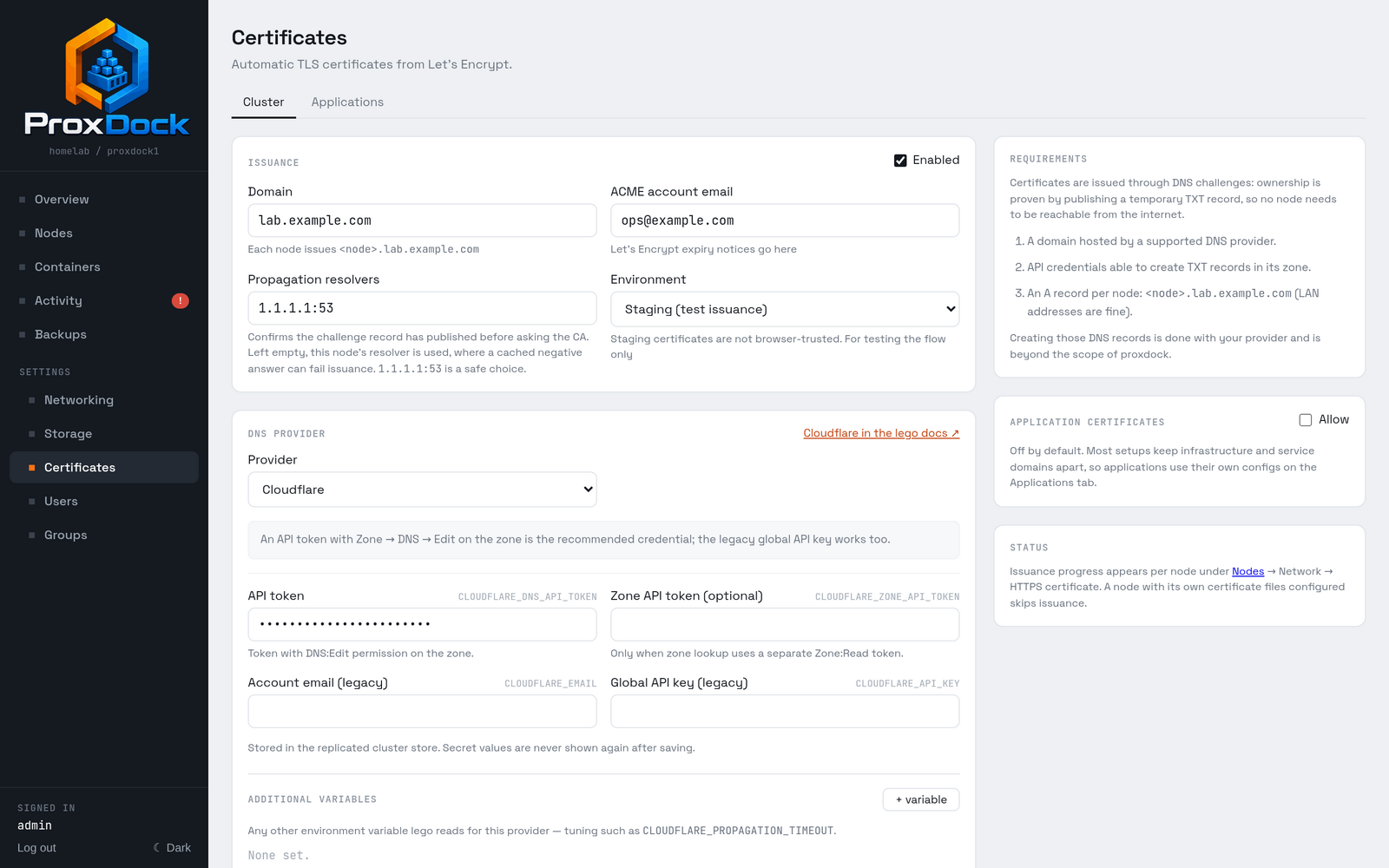
<node>.<domain> for itself. The values here are illustrative.
| Field | What it does |
|---|---|
| Domain | Each node issues <node>.<domain>. One A record per node |
| ACME account email | Where Let's Encrypt sends expiry notices |
| Propagation resolvers | Confirms the challenge record published before asking the CA |
| Environment | Staging issues untrusted certificates, for testing the flow |
Set the propagation resolvers. Left empty, the node uses its own resolver,
and a cached negative answer for a record that did not exist a moment ago will
fail the issuance. 1.1.1.1:53 is a safe choice, and naming the zone's own
authoritative servers skips caches entirely.
Use Staging first. Let's Encrypt rate-limits failed production issuances hard, and a DNS credential that cannot quite write the record is the common first mistake. Staging certificates are not browser-trusted; they only prove the flow works.
The A records are yours to create
ProxDock writes the TXT challenge record. It does not create the A records
that point <node>.<domain> at each node. Do that with your DNS provider
first. LAN addresses are fine: nothing has to be reachable from outside.
DNS providers
Sixteen providers have their own credential fields, Cloudflare, AWS Route 53, Google Cloud DNS, Azure DNS, OVH, Hetzner, PowerDNS, deSEC, DigitalOcean, Gandi LiveDNS, Linode, Namecheap, netcup, Porkbun, Vultr and RFC 2136 dynamic DNS update among them, each linking to the matching page in the lego documentation.
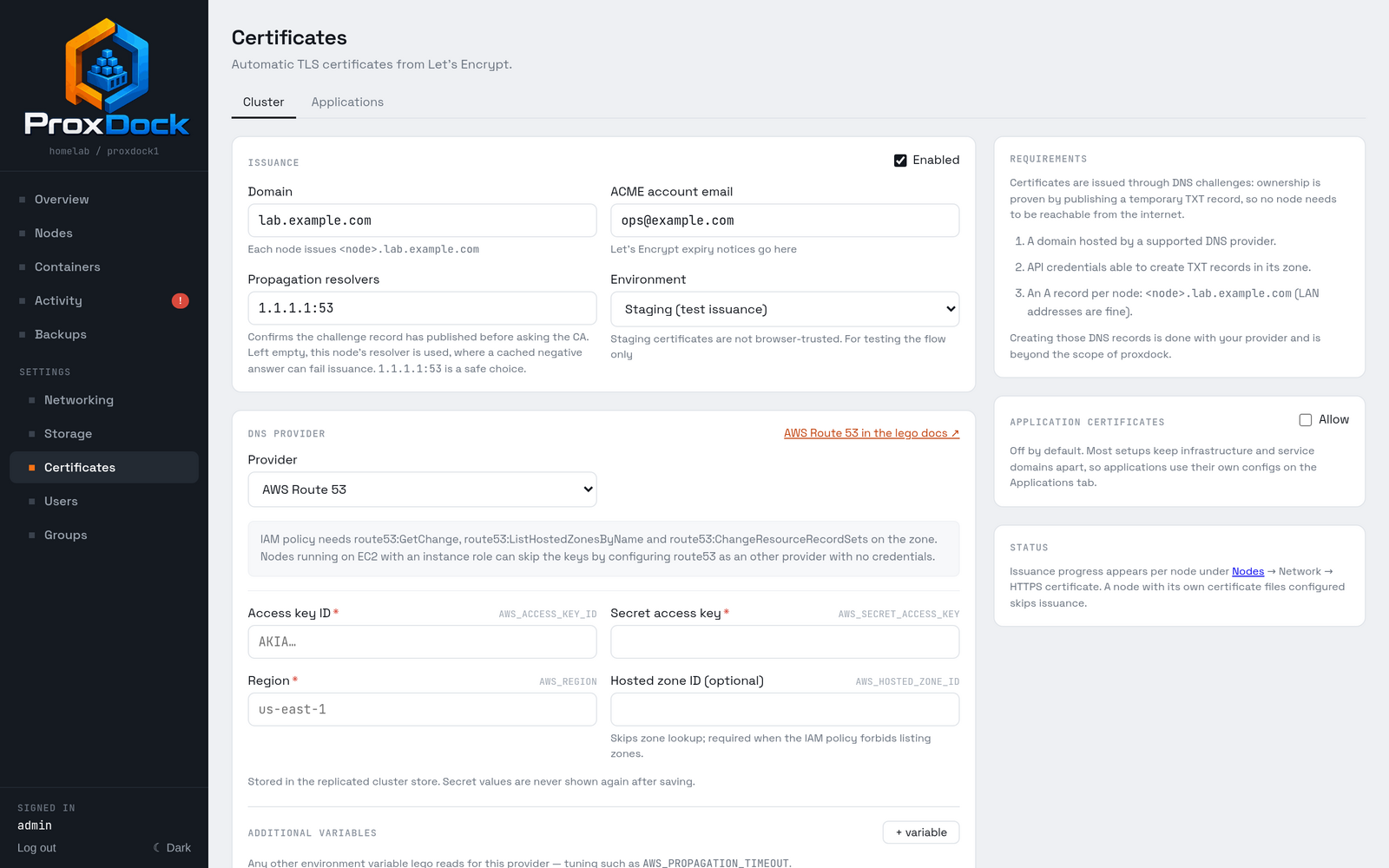
Anything lego supports that is not in the list can be driven through Other lego provider, naming the environment variables it reads. Secrets are stored in the replicated cluster store and are never shown again after saving.
Issuance progress appears per node, on the same panel the certificate does.
Certificates you manage yourself
If you already have a certificate for a node, from your own internal CA or from something else that renews it, point the node at the files.
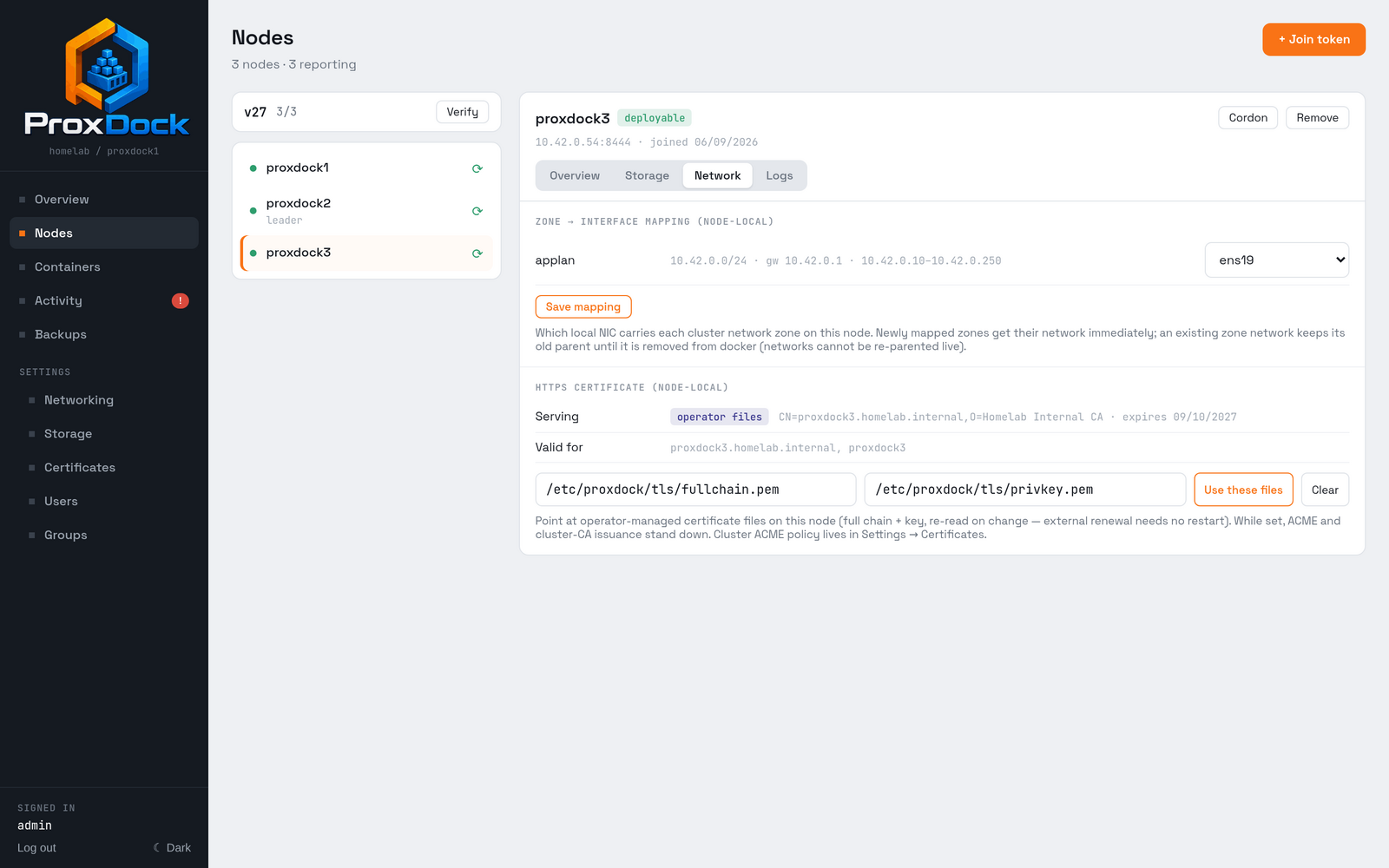
operator files as the source, and the certificate's own subject and expiry read back from the file. Clear empties both fields and the node falls back to ACME, or to its cluster CA certificate.
Give it a full chain and a private key. Both must be readable on that node, and the pair is validated before it is accepted, so a mismatched key is refused at the point you set it rather than at the next restart.
The files are re-read when they change. An external renewal process needs no restart and no hook. While they are set, ACME and cluster-CA issuance stand down.
This is the same setting as tls.cert and tls.key in
/etc/proxdock/config.yml, which is how you provision a node before it has a
UI to configure.
Certificates for applications
Separate from the cluster's own, and off by default.
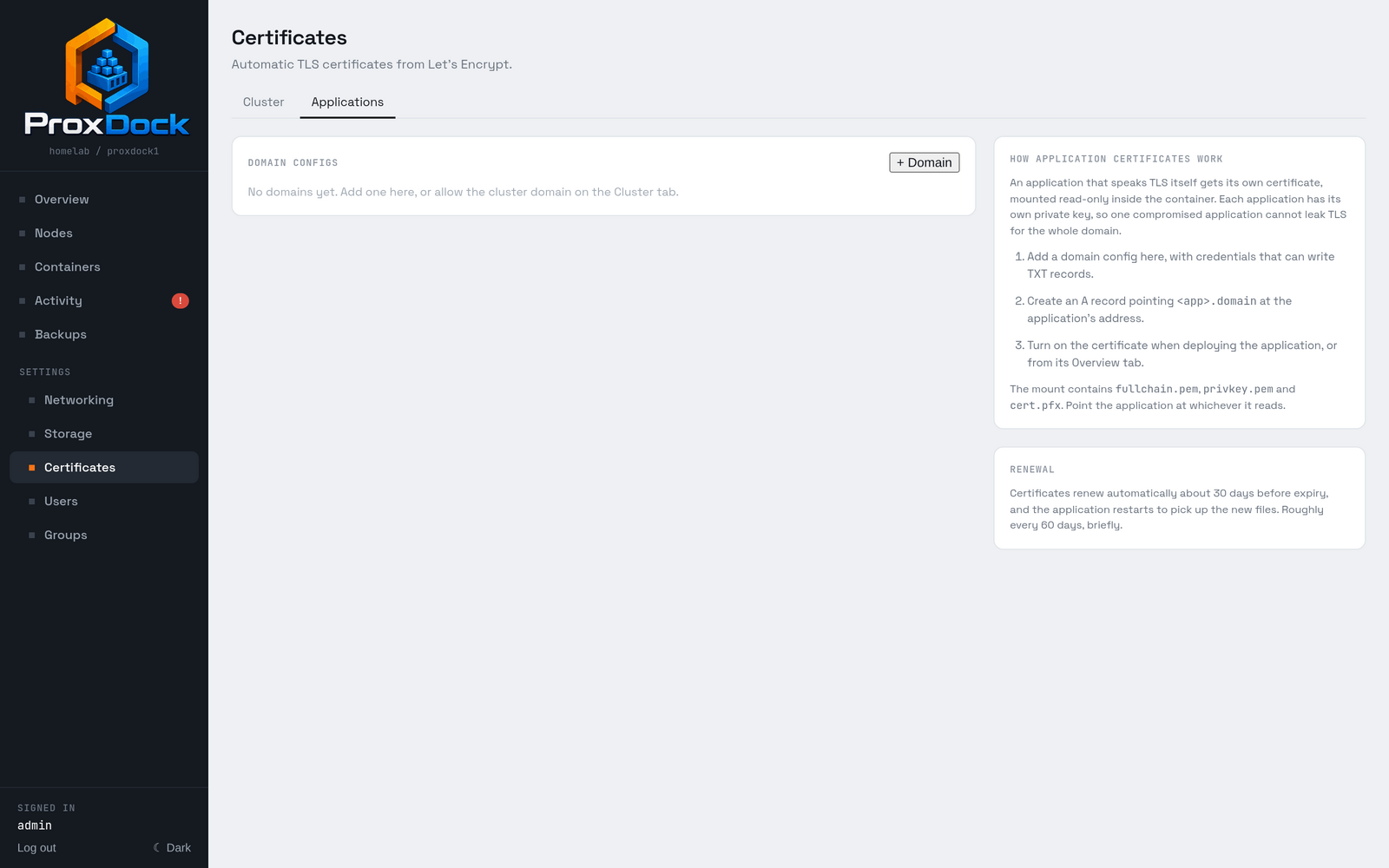
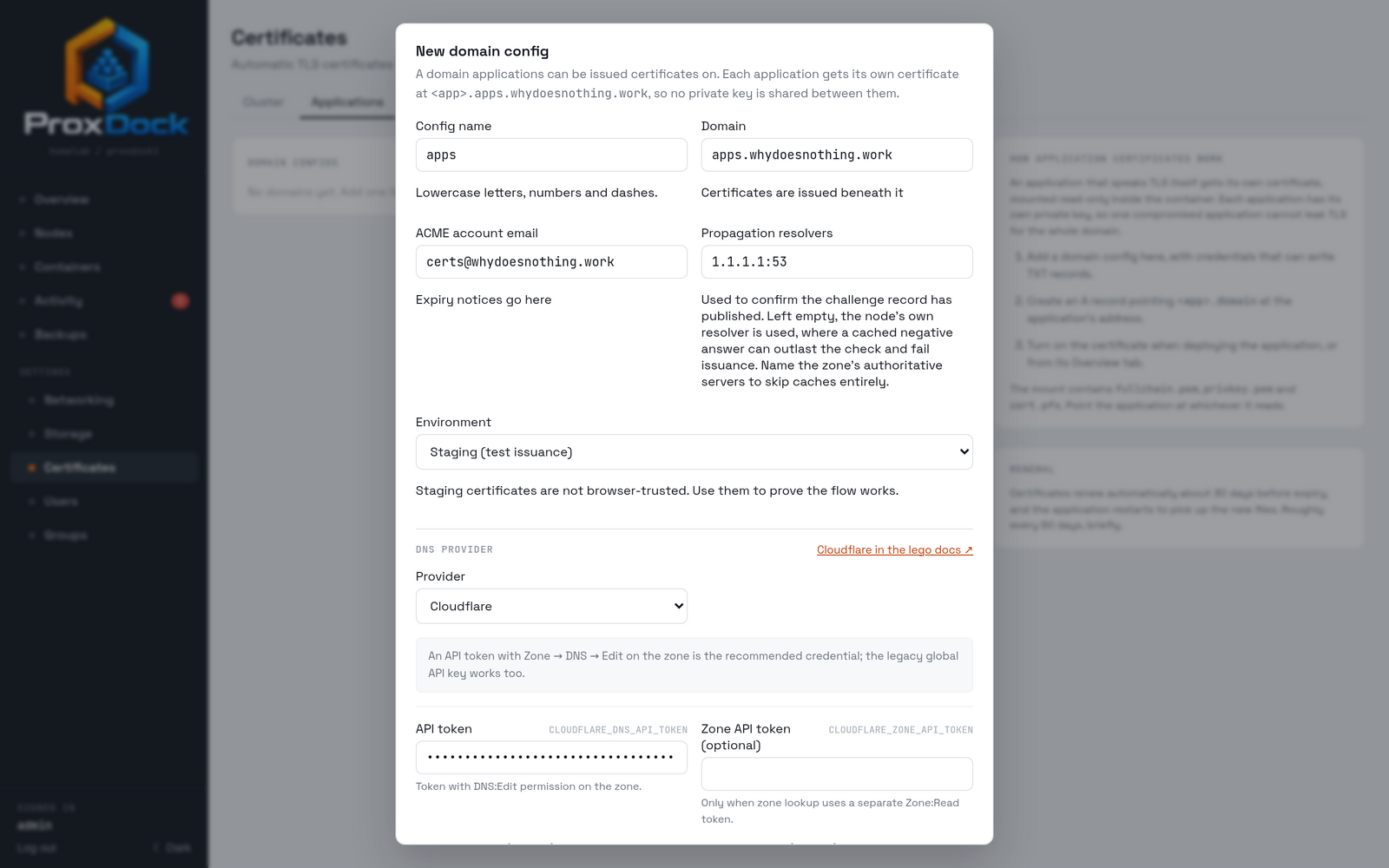
Configuring a domain
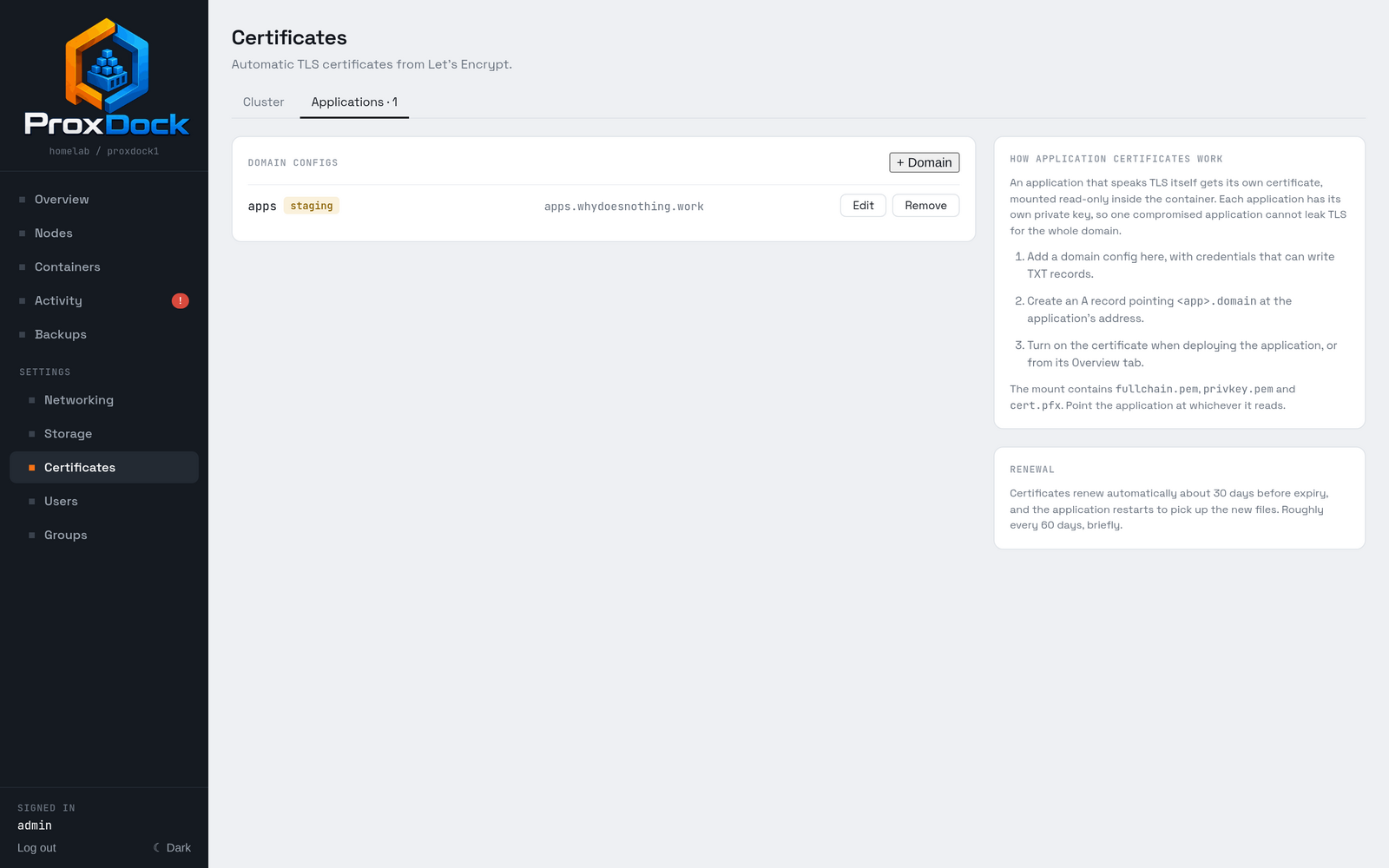
Applications are issued beneath a domain you add on this tab, with credentials that can write TXT records in it. This is a separate configuration from the cluster's own domain, with its own credentials, though you can allow the cluster domain to be used instead.
Asking for one
An application's certificate names the application's own address, so it needs a LAN-facing service on a network zone. Without one there is no name to issue for, and the deploy form says so rather than offering something that cannot work.
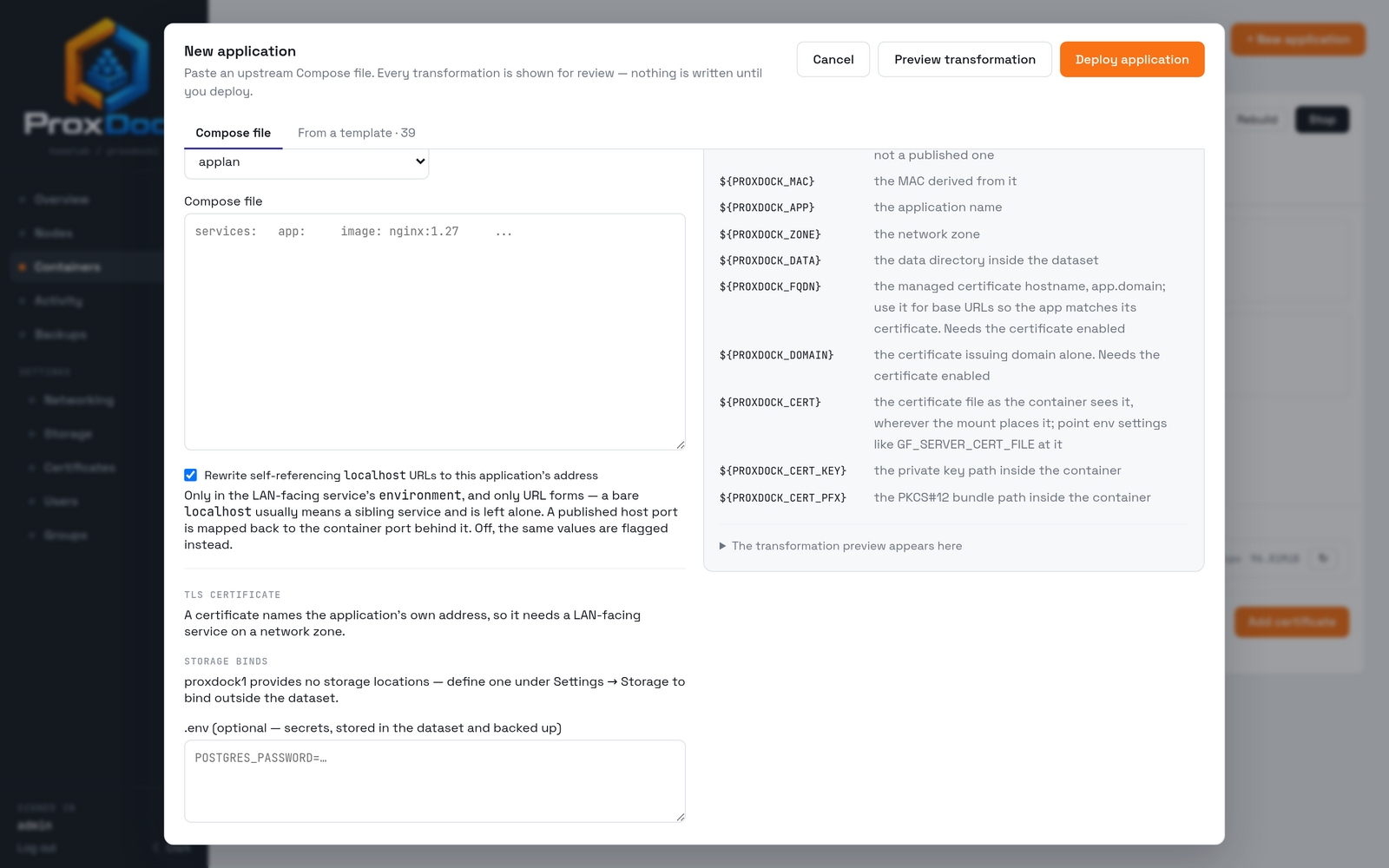
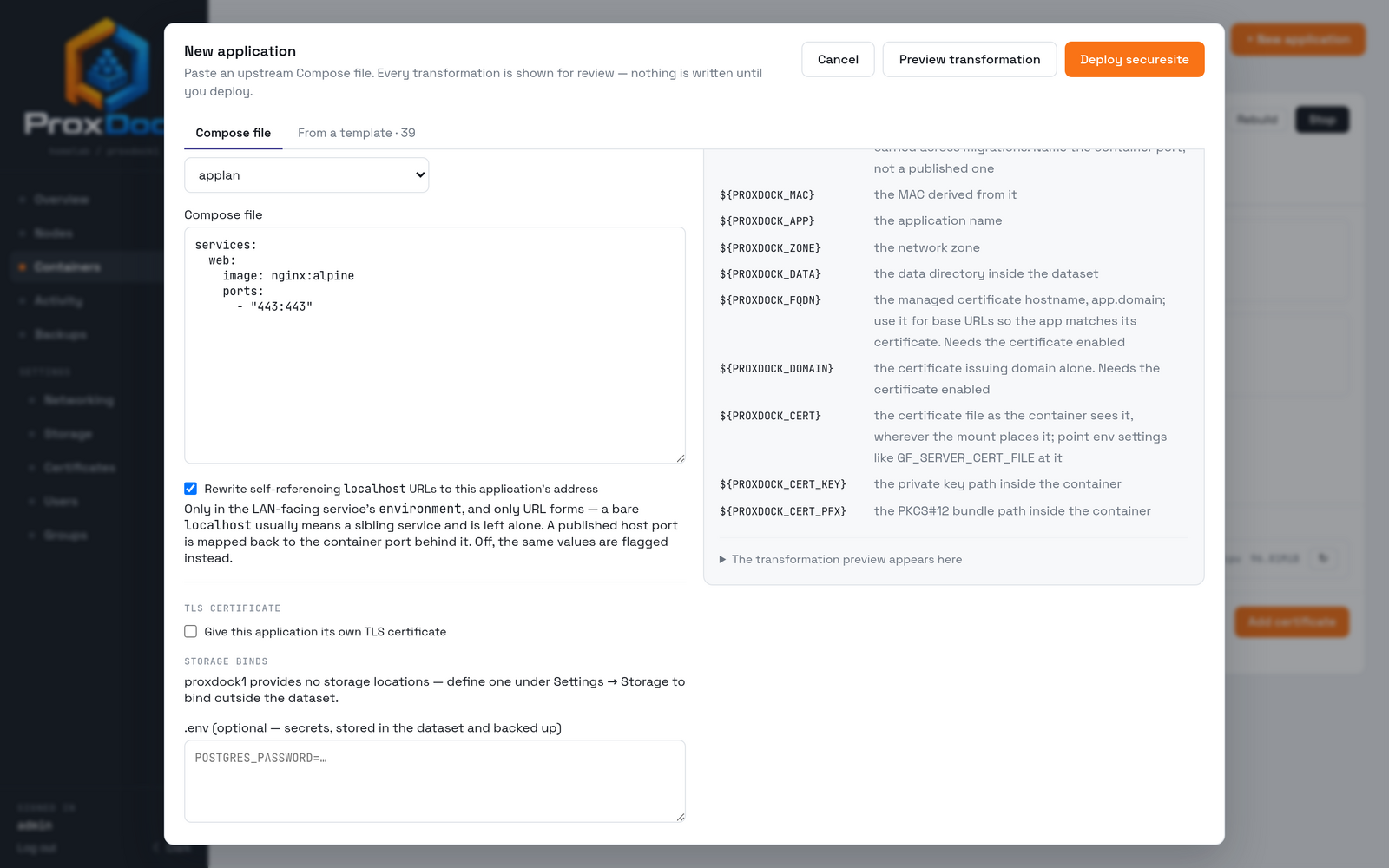
An application that is already running is given one from its Overview tab.
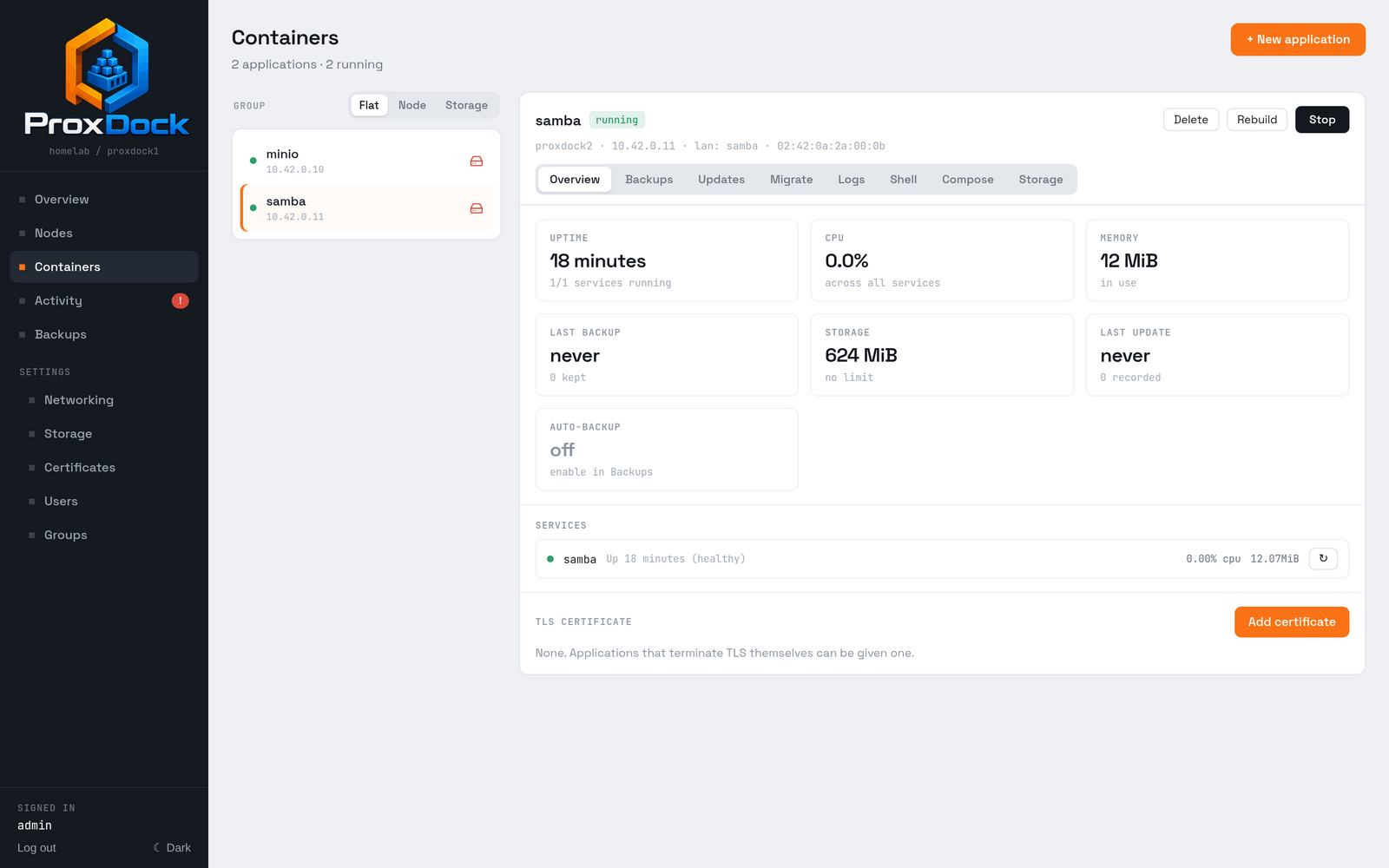
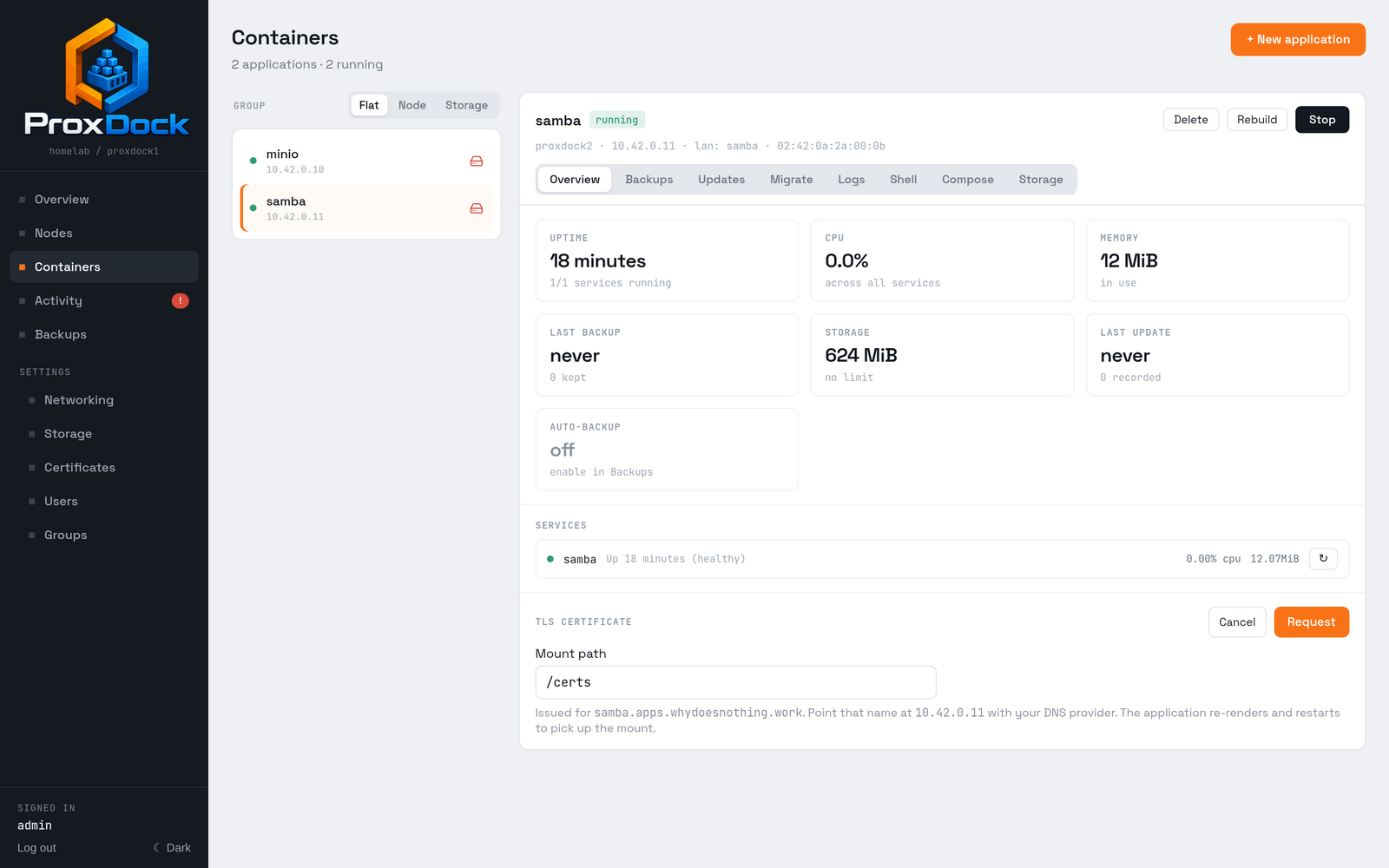
/certs.
Create the A record first. As with nodes, ProxDock writes the challenge
record but not the record that points <app>.<domain> at the application. The
request names the address to point it at.
What the application gets
The certificate is mounted read-only inside the container, at the mount path, as three files:
| File | Format |
|---|---|
fullchain.pem |
Certificate and chain, PEM |
privkey.pem |
Private key, PEM |
cert.pfx |
The same pair as PKCS#12, for applications that want it |
Point the application at whichever it reads. A Compose file can refer to those paths without hardcoding them:
services:
  web:
    image: nginx:alpine
    environment:
      TLS_CERT: ${PROXDOCK_CERT}
      TLS_KEY: ${PROXDOCK_CERT_KEY}
      SERVER_NAME: ${PROXDOCK_FQDN}
${PROXDOCK_CERT}, ${PROXDOCK_CERT_KEY} and ${PROXDOCK_CERT_PFX} are the
three files' in-container paths. ${PROXDOCK_FQDN} and ${PROXDOCK_DOMAIN}
are the name the certificate was issued for and the domain beneath it, which
saves writing the name twice. Referring to any of them without requesting a
certificate is rejected at deploy time, naming the fix.
Turning the certificate on re-renders the application's Compose file and restarts it, which is how the mount and those variables arrive.
Renewal
Certificates renew automatically about 30 days before expiry, and the application restarts to pick up the new files. That is roughly every 60 days, briefly.