
Backups and restore
A backup is a zfs send stream taken from a snapshot, not a tarball of the
files. Ownership, extended attributes, ACLs, sparseness and recordsize all
survive, because none of them are being re-derived on the way out.
Status: shipped and exercised. Local backups, offsite shipping to S3, a NAS, a storage location or another node, per-destination encryption, restore and backup verification all run on a live cluster. Verifying offsite copies is still to come.
What a backup run does
- Stop the application.
- Take a snapshot.
- Start the application again.
zfs sendfrom the snapshot, while the application is already running.
The application is down for the snapshot only: seconds, not the length of the transfer. The stream is checksummed and carries a self-describing manifest, so a backup can be identified without the database that produced it.
An application with no schedule says so, and can still be backed up on demand.
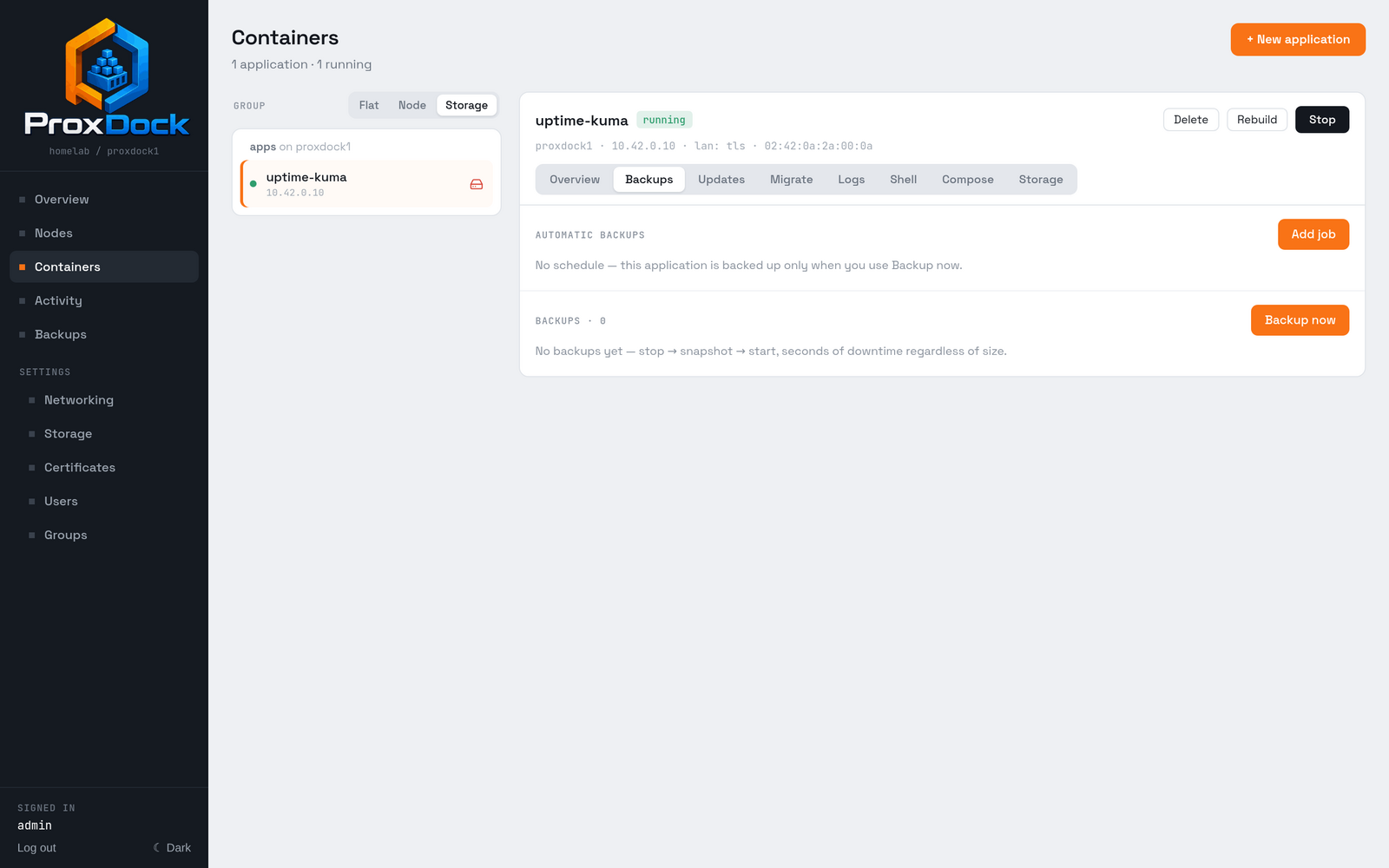
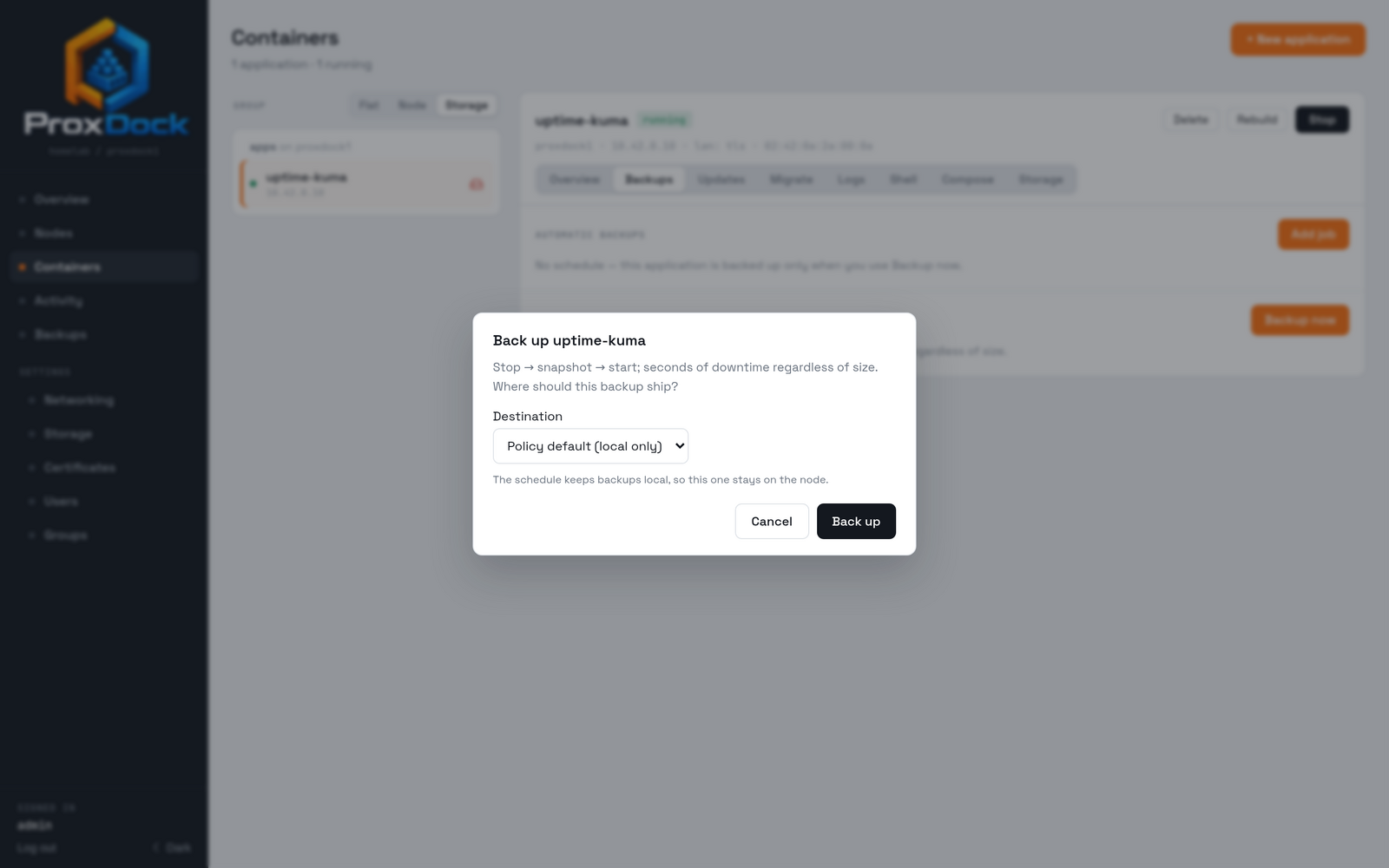
Backup now asks where the copy goes before it runs anything.
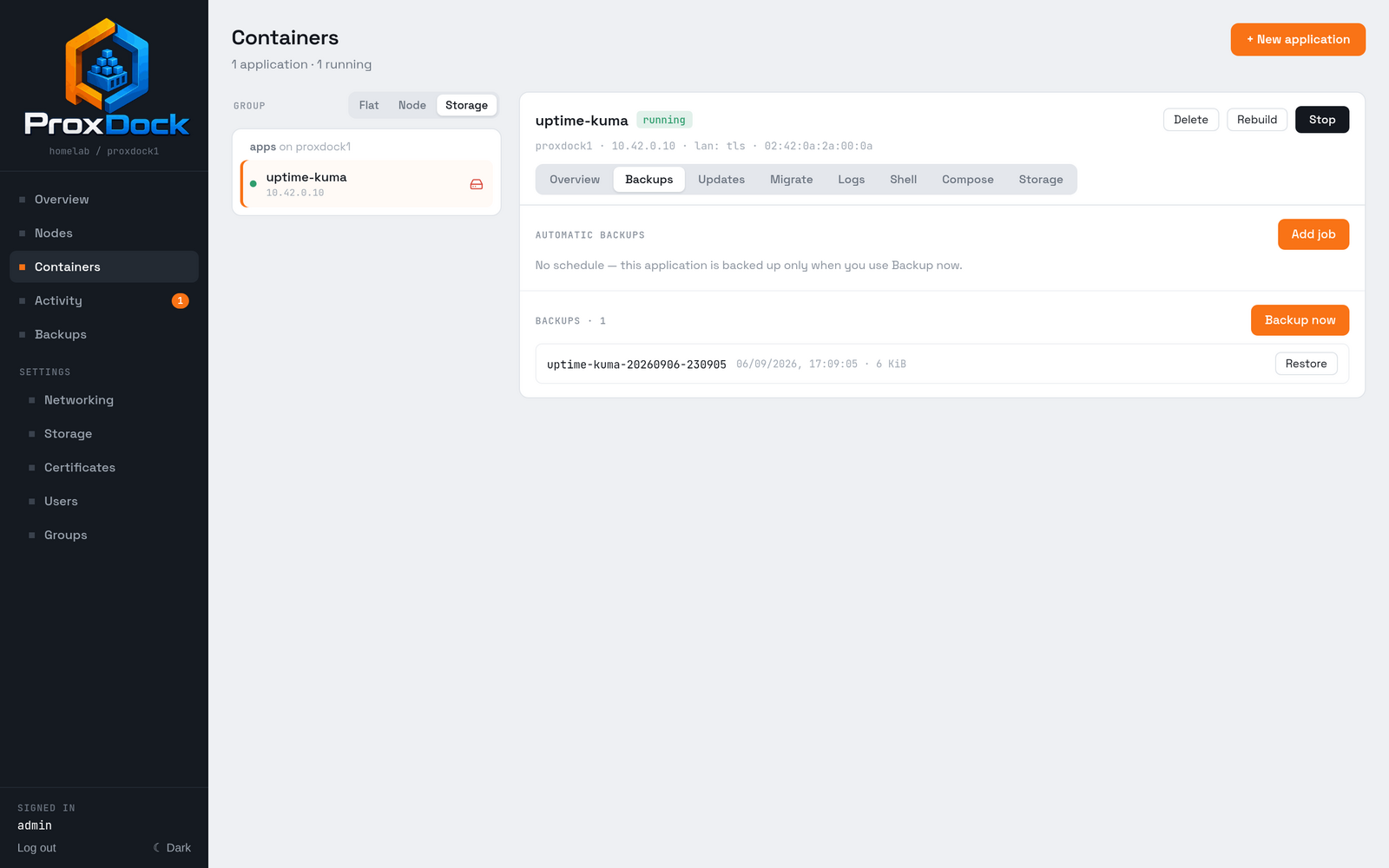
.sha256, and a .manifest.json.
Where backups go
Local is always primary. Every backup lands on this node's pool first, and that copy is what a restore reads by default.
Each application's backup policy then names exactly one offsite destination. Every backup of that application ships there, the scheduled ones and the manual ones alike.
| Kind | What it is |
|---|---|
s3 |
An S3-compatible bucket. Anything with an S3 API: Cloudflare R2, MinIO, AWS |
nas |
An SMB or NFS connection, mounted and managed by ProxDock |
location |
A cluster-wide storage location, under its reserved .proxdock/backups subtree |
node |
Another node in the cluster, streamed over the internal mTLS channel |
Leaving the destination empty means local only.
Shipping looks after itself
The shipper runs as a scan loop rather than a one-shot after each backup, which makes it self-healing:
- Changing an application's destination backfills its existing backups to the new place.
- A failed upload retries after a cooldown rather than being lost.
- Per-destination retention prunes independently of local retention.
- Copies at a destination you have stopped using stay until its own retention expires them or you remove them. Changing a dropdown never deletes offsite data.
Encryption
A destination you do not trust with plaintext can be marked encrypted. It is a per-target toggle, applied by the shipper at ship time, so the same backup is plaintext locally and sealed on the way out.
Local artifacts stay plaintext, because a local disk is your own trust domain. Node-to-node copies also ship plain: both ends are the same cluster by definition, and the hop is already mTLS.
The format is an age-style chunked AEAD stream: XChaCha20-Poly1305 over fixed-size chunks, each sealed with a counter nonce derived from a random per-file prefix, with the final chunk flagged. Truncation, reordering and tampering all fail decryption rather than yielding silently wrong bytes.
Keys are 32-byte symmetric keys in a replicated keyring. The newest key encrypts; older ones are kept so backups written before a rotation still decrypt. Each key has a recovery phrase, which is the key itself in printable form: offline insurance for the case where the cluster and its store are both gone.
Write the recovery phrase down somewhere that is not the cluster. It is the only thing that opens an encrypted offsite backup if you have lost everything else.
Restoring
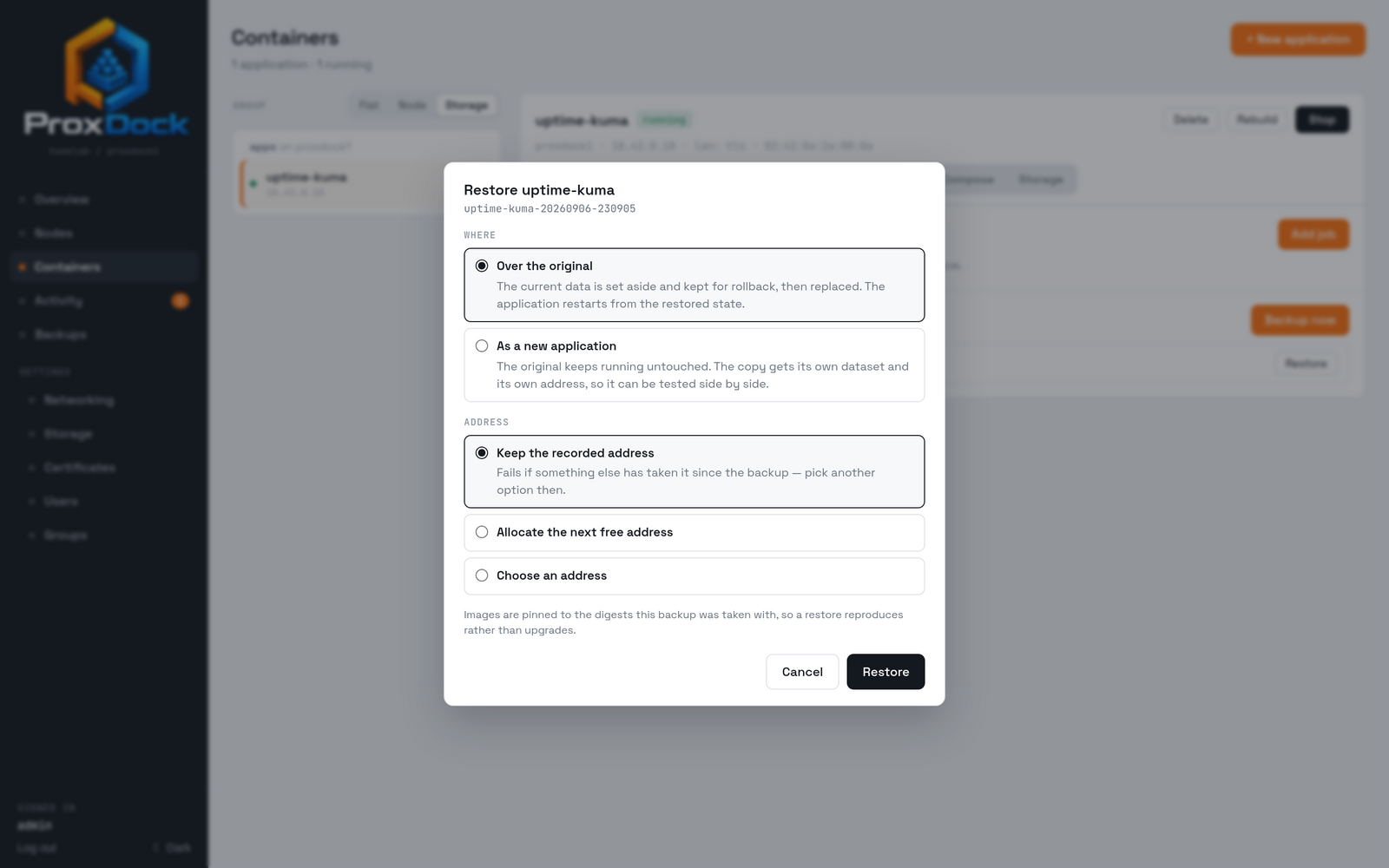
Restore always receives into a fresh dataset and retains the previous one, so a restore that turns out to be wrong is a rollback rather than a loss.
A restore can also run under a new name and a new address, which puts a copy beside the original. That is the way to test a restore without touching the thing you are testing it against.
Restores can read from an offsite copy as well as the local one; the restore dialog lists the copies that survive for that backup and you pick the source.
Browsing without restoring
Individual files can be browsed and extracted from a snapshot without a full restore. This is the common case for "I deleted one config file", and it does not need a spare dataset's worth of space.
Scheduling, retention and verification
Jobs run on a schedule with per-kind retention. Retention also covers the datasets left behind by deletes and migrations, so a cluster does not silently fill up with orphans nobody is tracking.
Verification, without a restore
A backup that cannot be restored is a failure worth hearing about on a Wednesday rather than during an outage. ProxDock verifies every backup, and never restores one to do it: restoring a 200 GB backup to prove it works costs 200 GB of scratch space and an hour of disk, and cannot reach a copy that lives in S3 at all.
Instead, the backup file is read back and checked as a ZFS send stream. A send
stream checksums every record it carries, and ProxDock walks all of them: the
same integrity zfs receive enforces, with nothing written. It also confirms the
stream is complete, so a backup cut short is caught even when the cut falls
neatly between two records.
| When | What happens |
|---|---|
| A backup is taken | The file is checked as it is written, in the same pass. A stream that would not restore fails the backup instead of being kept. |
| In the background | Each node checks its own backups that were never checked, and re-checks every backup every 30 days. The re-check can be switched off. |
| Verify now | Every node re-checks all of its backups at once. |
Each backup on the Backups page shows ✓ verified, verification failed with the reason, or not verified yet, and Activity records every check. Every 16 MiB of each file is also hashed into a small index beside it, which is what lets offsite copies be spot-checked later without downloading them.
The same check is available by hand on any node, against any backup file:
proxdock verify-stream /tank/backups/immich-20260905-030000.zfs.zst
It exits 1 if the file would not restore.
Outline: the retention policy grammar and the interaction between a job's schedule and a manual run still need writing up here.